Key takeaways
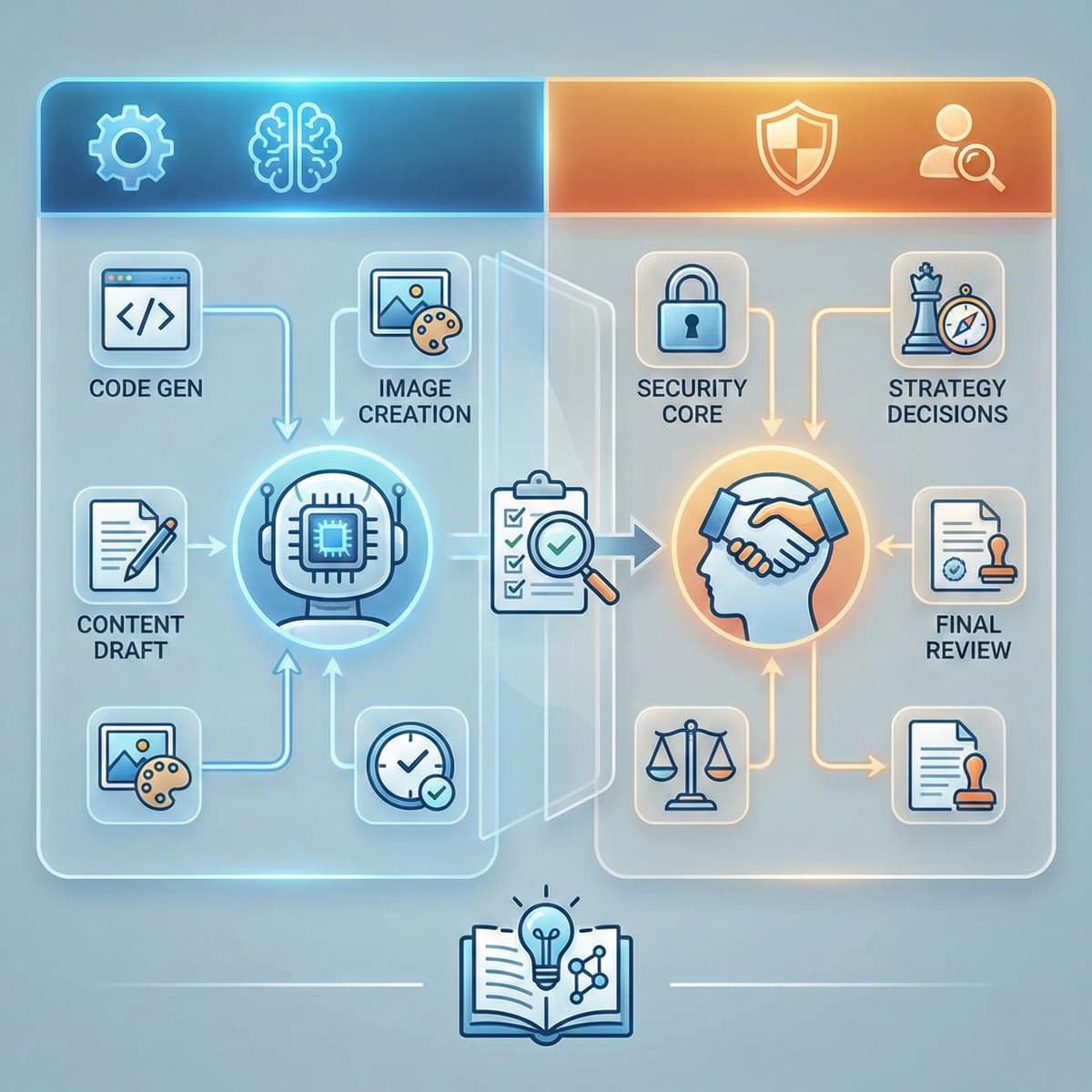
- We use AI tools daily for content drafts, code scaffolding, and testing; it makes us faster
- We never use AI for security implementations, strategic decisions, or final published content without heavy editing
- Every line of AI-generated code goes through human review before it reaches a client project
- AI reduced our project timelines by roughly 25-30%, not the 50% that marketing materials claim
Why I'm writing this
Clients ask whether we use AI. They should ask. It's a reasonable question in 2026, when 84% of developers use AI tools according to Stack Overflow's latest survey.
Some agencies hide their AI usage. Others overstate it to seem innovative. Both approaches are dishonest.
Here's the full picture. Every tool. Every use case. Every boundary.
The tools we use
Claude Code
Our primary AI coding assistant. We use it inside our development environment for code generation, refactoring, and debugging.
What we use it for:
- Generating TypeScript interfaces and component scaffolding
- Writing unit tests (faster than writing them from scratch)
- Refactoring existing code for readability
- Debugging error messages and stack traces
- Generating boilerplate configuration files
What we don't use it for:
- Architecture decisions (which framework, which patterns, how data flows)
- Security-critical code (authentication, authorization, data encryption)
- Database schema design
- Performance-critical algorithms where we need to understand every operation
Claude Code runs inside our IDE. It suggests. We decide. Every suggestion gets reviewed against our project's patterns and conventions before it's committed.
Claude (chat) for content
We use Claude for drafting blog content, writing product descriptions, and brainstorming marketing copy.
The process:
- We write a detailed brief: topic, audience, key points, tone
- Claude generates a first draft
- We rewrite 60-70% of it
- We add original data, opinions, and specific examples from our experience
- We fact-check every claim
- A human publishes the final version
The draft saves 2-3 hours per article. But the rewriting is where the value is. AI drafts are generic. They hedge. They use corporate language. They don't have opinions. Every article needs a human to inject the specific knowledge and perspective that makes it worth reading.
This article went through that same process.
GitHub Copilot
Some team members prefer Copilot for inline code completion. It integrates with VS Code and suggests code as you type.
The productivity gain is real but overstated by GitHub's marketing. Their claim is 55% faster task completion. In practice, we see closer to 20-30% because:
- You spend time reviewing suggestions
- Many suggestions are close but not right
- Complex logic still needs to be thought through manually
- Project-specific patterns aren't in the training data
Midjourney and DALL-E
We use AI image generation for:
- Blog post featured images and social media assets
- Concept mockups during the design phase
- Placeholder visuals during development
We don't use them for:
- Final client brand assets (logos, icons, brand imagery)
- Product photography replacements
- Any context where image authenticity matters
Google's AI features
We use AI-powered features within Google Search Console and Google Analytics for:
- Search query analysis and pattern detection
- Anomaly alerts on traffic changes
- Automated insights on conversion paths
These are tools, not decision-makers. They surface data. We interpret it.
Where we draw the line
These are tasks we refuse to delegate to AI. Not because AI can't attempt them, but because the cost of getting them wrong is too high.
Security implementations
45% of AI-generated code contains security vulnerabilities. For a blog post, a bug is embarrassing. For a payment processing flow, a bug is a legal liability.
We write security-critical code manually:
- Authentication and authorization logic
- Payment processing integrations
- Data encryption and handling
- API rate limiting and input validation
- CORS policies and Content Security Policy headers
Every security implementation gets a manual code review by someone who didn't write it. AI isn't part of this workflow.
Client strategy
AI doesn't know your customers. It doesn't know your margins. It doesn't know that your best-converting landing page uses a specific testimonial format because your sales team discovered that prospects need social proof from companies their size.
Strategic decisions we keep fully human:
- Site architecture and page hierarchy
- Conversion funnel design
- Content strategy and topic prioritization
- Brand positioning and messaging
- Feature prioritization and roadmap planning
These decisions require context that AI doesn't have and can't learn from a prompt.
Final published content
No content goes live without human editing. AI drafts are starting points, not finished products.
Google's March 2024 core update reduced low-quality content in search results by 45%. The sites that lost traffic were overwhelmingly producing unedited AI content at scale. Our deep dive into AI content and SEO explains what Google actually penalizes and why.
We don't want to be on that list. So every piece of content gets rewritten, fact-checked, and approved by a human before publication.
Database schema design
How your data is structured affects everything: query performance, scalability, data integrity, and future flexibility. AI can suggest a schema, but it doesn't understand the relationships between your business entities, your growth projections, or the queries you'll need to run in six months.
We design schemas manually based on the actual requirements of each project.
The productivity reality
Here's what our AI usage actually looks like in numbers:
Before AI tools (2023):
- Average project timeline: 10-12 weeks
- Content production: 1 article per week
- Code review time: 20% of development hours
- Testing coverage: 65% of codebase
With AI tools (2026):
- Average project timeline: 7-9 weeks
- Content production: 2 articles per week
- Code review time: 25% of development hours (more AI output to review)
- Testing coverage: 85% of codebase (AI-generated tests fill gaps)
The timeline compression is real, about 25-30%. But notice that code review time went up, not down. More generated code means more code to review. The net productivity gain comes from AI handling the tedious parts (boilerplate, tests, initial drafts) while we spend proportionally more time on the parts that matter (strategy, review, optimization).
What clients should ask their agency
If you're hiring a web agency in 2026, ask these questions:
-
"Which AI tools do you use?" Any honest agency will tell you. If they dodge the question, that's a red flag.
-
"What do you review manually?" The answer should include security, architecture, and final content. If they say "everything goes through AI," they're either lying or cutting corners.
-
"Has AI changed your pricing?" AI makes agencies faster. Some pass the savings on. Others invest the saved time into higher-quality deliverables. Both are valid, but you should know which model you're paying for.
-
"Can I see your review process?" Good agencies have a documented workflow for how AI output gets checked. Ask to see it.
-
"What happens when AI gets it wrong?" The answer should involve human fallbacks, testing protocols, and accountability. If the answer is "AI doesn't get it wrong," run.
The transparency commitment
California's AB 2013 law (effective January 2026) now requires AI developers to disclose training data sources. The EU AI Act's transparency provisions take effect in August 2026. The direction is clear: transparency about AI usage is becoming a legal requirement, not just a nice-to-have.
We're getting ahead of that curve. This article is our public commitment to honest communication about how we use AI. We'll update it as our tools and processes change.
AI makes us faster. It doesn't make us less accountable. Every deliverable has a human who made the decisions and stands behind the result.
Related reading
- AI and web development in 2026: what business owners actually need to know. Our complete guide to AI in web development, written for the people paying the bills.
- Can ChatGPT build my website? We tested it.. We gave ChatGPT a real client brief. The results were instructive.
- AI-generated content and SEO: does Google penalize AI writing?. What Google actually penalizes and how to stay on the right side of it.
- How AI agents are replacing WordPress developers. The broader shift in our industry and what it means for agencies like ours.