Key takeaways
- A redesign without a strategy is just a fresh coat of paint on a crumbling house
- We audit performance, SEO, and UX before drawing a single pixel
- Common fixes include simplifying navigation and strengthening Call-to-Actions
- The 'Build' phase is where engineering meets art (clean code, fast load times)
- Preparation is key: know your goals and gather your content before starting
Introduction
Most website redesigns fail. And it's rarely because of ugly design.
They fail because businesses treat their website as art instead of machinery. That gorgeous homepage? It means nothing if it loads slowly, confuses visitors, and lets leads slip away. That's not an asset. It's a liability with a fresh coat of paint.
At TurboPress, we don't just "make it look nice." We follow a repeatable engineering process that turns your website into a business tool that works for you 24/7. Here's how we do it.
The 6-Phase Process
We don't guess. We follow a process.
Every project moves through six phases, each building on the last. Skip one, and problems show up later. Here's how it works:
Phase 1: The Audit: Diagnosing Before Prescribing
Before we touch any code, we look under the hood of your current site. Think of it as a health check.
- Performance: Is your server response time (TTFB) dragging past 1 second? Are bloated, unoptimized images choking your load speed?
- SEO: Are you missing critical H1 tags? Are meta descriptions empty, or worse, auto-generated garbage?
- UX: Does the navigation actually make sense to a first-time visitor? Can they find the "Contact" button in under 3 seconds?
Here's what we've learned after hundreds of audits: "slow sales" are usually just "slow pages" in disguise.
With the diagnosis complete, we move into the strategic work.
Phase 2: Strategy & Wireframing: The Blueprint
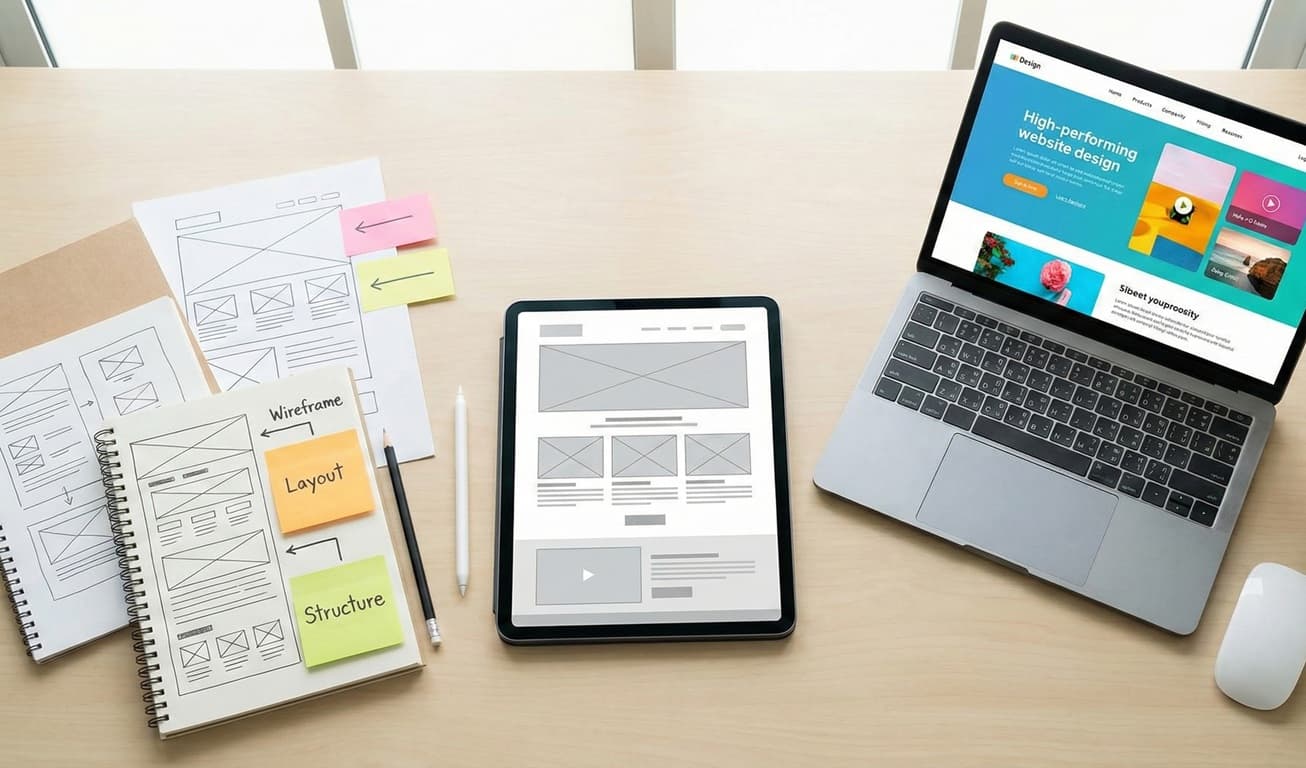
Now we strip everything back to the bones. No colors. No fonts. No distractions. Just pure user flow.
We build wireframes (visual blueprints) that map out exactly how a visitor should move through your site:
- They land here → they understand your value immediately
- They scroll here → they see proof and build trust
- They click here → they take action
This phase ensures your site sells before we pick fonts. Get the flow wrong, and polish won't fix it.
Phase 3: Design: The "Wow" Moment
Now we apply the visual layer.
We create high-fidelity mockups that respect your brand while pushing it forward. Our approach:
- The "Premium Metal" Aesthetic: Clean edges, sharp contrasts, and a sense of quiet authority
- Ruthless Readability: If visitors can't scan your page in 5 seconds and understand what you do, we've failed
- Visual Hierarchy: Guiding eyes exactly where they need to go, in the order that drives action
A beautiful design is worthless if it's built on a slow, brittle codebase. That's where the next phase comes in.
Phase 4: The Build: Where Engineering Meets Art
This is where we diverge from 90% of agencies out there.
We don't slap on a bloated theme and hit "Publish." We write code. We care about the details people don't see but definitely feel:
- Custom Code: Clean, semantic HTML/CSS that search engines love and browsers render instantly
- Modern Infrastructure: The full "Modern Stack": Docker containers, Redis caching, global CDN distribution. We've detailed these in other posts
- Real-Device Testing: We don't just resize a browser window and call it "mobile-ready." We test on actual iPhones, Android devices, tablets, and weird screen sizes
The result? A site that doesn't just look fast. It is fast.
But we're not done yet. Because looking good in our hands means nothing if it breaks in the wild.
Phase 5: Optimization & QA: Trying to Break It
Before anything goes live, we do everything we can to destroy it.
Seriously. We stress-test, we poke, we prod:
- Run every page through Google Lighthouse until every metric glows green
- Submit every form with weird characters, empty fields, and edge cases to ensure emails actually arrive
- Click every link, button, and navigation item to hunt down broken paths
- Test across browsers, devices, and connection speeds
If something's going to break, we want it to break now, when we can fix it. Not after launch when it's costing you customers.
Once everything passes, we're ready to launch.
Phase 6: Launch & Handoff: You're in Control
We flip the switch. Your new site goes live.
But we don't disappear.
For WordPress builds, we provide training videos so you can edit your own content, swap images, and make updates without breaking the layout. For custom builds, we establish a clear SLA so you always know who to call when you need support.
Your site is yours. We just make sure you know how to drive it.
Common Problems We Fix
When new clients come to us, they're usually stuck in what we call the "Template Trap": well-intentioned design choices that actually hurt conversions. Here are the patterns we see constantly:
1. Navigation Chaos "About," "Our Story," "Our Mission," and "Meet the Team" as four separate menu items? That's not organization. That's confusion. The fix: Consolidate into one powerful, comprehensive "About" page that tells your story without making visitors work for it.
2. Weak, Generic CTAs Buttons that mumble "Submit" or "Click Here" don't inspire anyone. They're the equivalent of a shrug. The fix: Transform them into action-oriented invitations like "Get Your Free Audit" or "Start Your Project Today." Words matter.
3. The Dreaded Wall of Text Paragraphs that run 500 words deep with no visual breaks? Visitors don't read them. They bounce. The fix: Break dense content into scannable bullet points, supporting icons, and clear headers that guide the eye.
These aren't hard fixes. But left alone, they cost you leads every day.
Before & After: The Transformation
Let's make this concrete. Here's a real example of what the TurboPress process delivers:
Client: A Regional Logistics Company
Before the Redesign:
- Generic blue-and-white WordPress theme (looked exactly like three competitors)
- Stock photos of people shaking hands in conference rooms (zero authenticity)
- Load time: 4.2 seconds (visitors bouncing before the page even rendered)
- Headline: "Welcome to [Company Name]." (says nothing, promises nothing)
After the TurboPress Treatment:
- Custom dark-mode design with signature neon accents (unmistakably theirs)
- Real photography of their trucks, their warehouse, their team (instant credibility)
- Load time: 0.8 seconds (visitors stick around)
- Headline: "We Move Freight Faster. Guaranteed." (clear value, bold promise)
Same company. Completely different digital presence. Completely different results.
How to Prepare for a Redesign
Want to save time, reduce friction, and get the best possible outcome? Here's what you can do before we start working together:
1. Define Your Primary Goal Brand awareness? Lead generation? Direct sales? All three? Pick the one goal that matters most. Trying to optimize for everything means optimizing for nothing.
2. Gather Your Assets Dig out your high-resolution logo, team headshots, brand guidelines, and any photography you want to use. Having these ready in a single folder saves weeks of back-and-forth.
3. Audit Your Existing Content Honestly assess what pages you actually need. That blog post from 2017 with 12 views? Probably not essential. That service page nobody reads? Maybe it's time for it to go. Hint: You probably don't need 50 pages. You need 15 great ones.
The more prepared you are, the faster we can get to the actual work.
The Bottom Line
A website redesign is an investment. Done carelessly, it's just another expense. Done right, with a clear process and solid engineering, it pays for itself.
Your current website is either working for you or working against you. There's no neutral ground.
Ready to turn your template into something that works? See how we approach WordPress web design, or start a conversation.
Related reading
- React vs WordPress in 2026. Choosing the right technology is Phase 0 of any redesign.
- Web design trends that will boost your online store in 2026. The design patterns that are working right now for ecommerce stores.
- Core Web Vitals for non-developers. The performance metrics that determine whether your redesign actually improved things.