Key takeaways
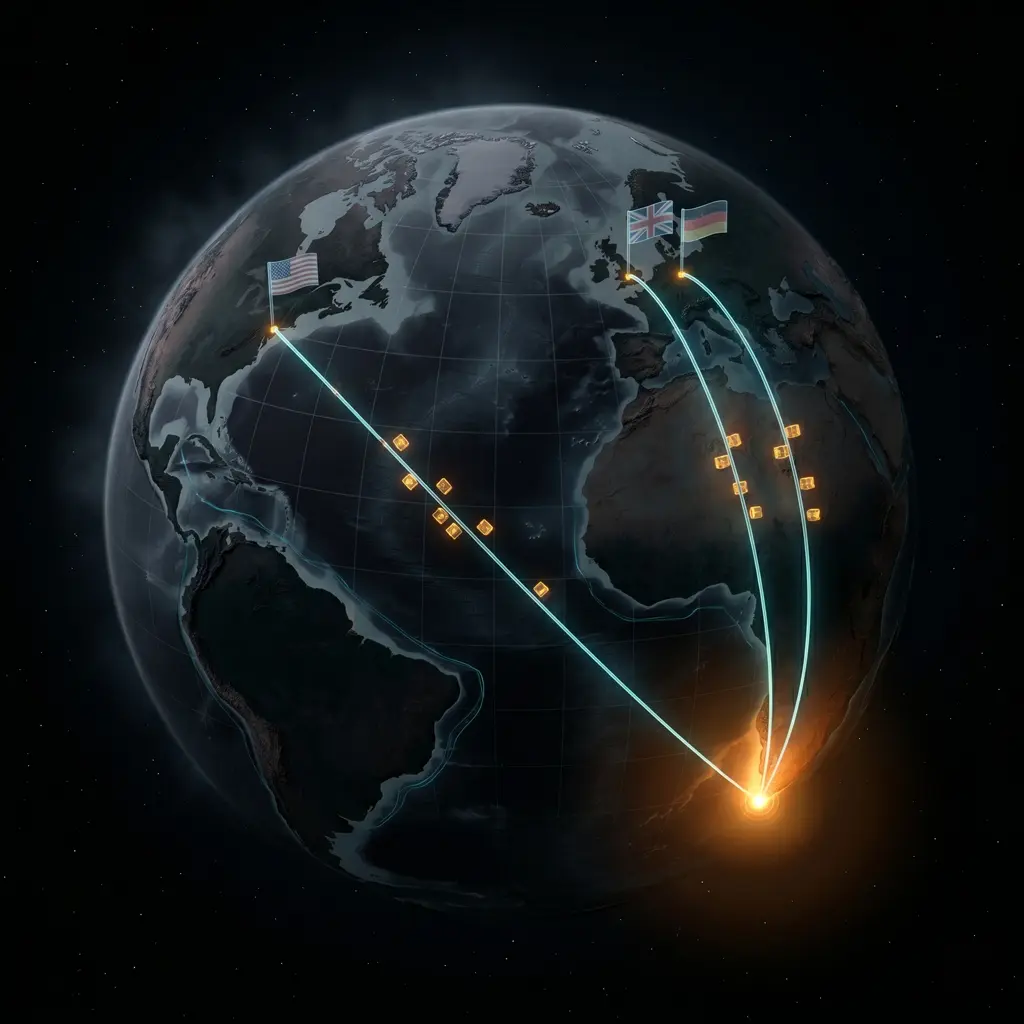
- Cape Town to London is a 170-200ms round trip on top of any application latency, set by the speed of light through Atlantic fibre
- Full-page caching at the edge fixes most of the problem for browsing, but breaks for cart, checkout, and logged-in pages
- WooCommerce stores cart state in PHP sessions and the database, both of which sit at the origin and cannot be moved to the edge
- Cloudflare's Cape Town POP serves cached content fast to SA visitors, but international visitors hit their nearest POP and the origin is still the slow part
- The right architecture for a SA Woo store selling internationally depends on where most of the revenue actually comes from, not where most of the traffic comes from
The physics problem you cannot optimise around
Cape Town to London is roughly 9,650 kilometres of submarine fibre. The speed of light in optical fibre is around 200,000 km/s. The round trip is therefore at least 96ms before any router, switch, or server gets involved. In practice the routing adds another 60-90ms, so a real-world round trip lands between 170 and 200ms.
This is not a bandwidth problem. You cannot buy your way out of it. It is the speed of light through a glass cable along the Atlantic seabed.
For a South African Woo store selling internationally, this is the number to plan around. Every uncached request from an international visitor pays this round trip. Static content at the edge bypasses it. Dynamic Woo requests do not.
What follows is the practical version of what we do about it when we audit a SA-hosted Woo store with a meaningful international audience.
What "slow" actually means for an international Woo visitor
Run through what a real shopping session looks like on a typical SA-hosted Woo store, viewed from New York or London.
| Step | Cached at edge? | Origin round trip cost |
|---|---|---|
| Land on homepage | Yes | ~25ms (nearest Cloudflare POP) |
| Browse category page | Yes | ~25ms |
| View product page | Yes | ~25ms |
| Click "Add to cart" | No (Woo session needed) | 180-280ms (origin in SA) |
| View cart | No (cart state) | 180-280ms |
| Apply coupon | No | 180-280ms |
| Begin checkout | No | 180-280ms |
| Enter address | No (geolocation, tax) | 180-280ms |
| Choose shipping | No (rates calculated server-side) | 180-280ms |
| Choose payment | No | 180-280ms |
| Submit order | No | 180-280ms + payment gateway round trip |
The browsing experience is fine. The buying experience is where the latency stacks up. Across a complete checkout flow, an international visitor pays the round trip ten times or more. The total comes to two or three seconds of pure network latency on top of whatever the application itself does.
Most Woo cart abandonment data does not separate this out from "slow site" or "complicated checkout", but in our experience, taking 1.5 seconds off the checkout flow is one of the more reliable conversion wins on internationally-targeted SA stores.
Step one: cache what you can at the edge
The first move on any of these stores is to push as much as possible to Cloudflare's edge. The default Cloudflare settings do almost none of this for a Woo store. You have to configure cache rules deliberately.
A baseline cache strategy looks like:
# Cloudflare Cache Rules

Rule 1: Cache product, category, and homepage paths
  When: hostname = yoursite.com AND
        (URI Path starts with /product/ OR
         URI Path starts with /shop/ OR
         URI Path = /)
  Then: Cache eligibility = Eligible for cache
        Edge TTL = 1 hour
        Bypass cache on cookie = woocommerce_items_in_cart, wp_woocommerce_session, wordpress_logged_in_*

Rule 2: Bypass cache for cart and checkout
  When: URI Path contains /cart/ OR
        URI Path contains /checkout/ OR
        URI Path contains /my-account/
  Then: Cache eligibility = Bypass cache
The bypass-on-cookie rule is the important one. As soon as a visitor adds something to their cart, WooCommerce sets a session cookie. From that point on, every page request needs to know what's in their cart (the "view cart" widget, the menu cart icon, the "X items in cart" banner). Cloudflare correctly bypasses cache once that cookie is present.
The effect: anonymous browsing serves from the edge. As soon as someone interacts with the cart, every subsequent page is fully dynamic and hits the origin. There is no way around this on a stock Woo install.
Why "just cache everything" breaks Woo
We have seen well-intentioned developers cache every page including cart and checkout. The result is one visitor seeing another visitor's cart contents, prices showing the wrong currency, and tax calculations cached at the wrong rate. The damage is usually invisible until someone notices a strange order.
Edge caching is not negotiable for performance, but it has to respect Woo's session boundaries. The cookie-based bypass rule above is the safe default.
Step two: minimise what each cart request actually does
If the cart and checkout pages cannot be cached, the second move is to make each of those origin requests as fast as possible. This is normal WordPress and Woo performance work, and we have written about most of it in our WooCommerce postmeta performance post and PHP-FPM tuning for WordPress. The summary, applied specifically to the international-latency problem:
-- Find slow queries on cart/checkout pages
SET GLOBAL slow_query_log = 'ON';
SET GLOBAL long_query_time = 0.2;
SET GLOBAL slow_query_log_file = '/var/log/mysql/slow.log';

-- Then browse cart and checkout, then:
SHOW VARIABLES LIKE 'slow_query_log_file';
Read the slow log. Cart and checkout queries should resolve in under 100ms on a competently tuned MariaDB. If they take longer, fix that before doing anything else with the architecture.
The common cart-page culprits we find:
- WooCommerce session table (
wp_woocommerce_sessions) without an index onsession_key. Most stores have this index, but a small minority somehow do not, and every cart action does a table scan. - Shipping rate calculation pulling from a third-party API on every page load instead of caching the result for the duration of the session.
- Coupon validation re-running on every cart update for stores with hundreds of coupons.
- Cart fragments AJAX firing on every page including the homepage, calculated against a slow
wp_postmetatable.
Each of those, individually, can add 200-800ms to a cart page request. Stack two or three and the cart feels broken regardless of where the visitor is in the world.
Step three: decide where the origin lives
Once edge caching is configured properly and the origin is fast for the requests that have to hit it, you decide where the origin lives.
This is where most SA Woo store owners get the decision backwards. They look at where their traffic comes from. The right number to look at is where their revenue comes from.
A store with 70% SA traffic and 30% international traffic might have 30% SA revenue and 70% international revenue, because the average international order is three times the value of a local one. We see this regularly with stores selling SA-specific products (rooibos, biltong, craft, art, wine) where the international margins are higher.
If the revenue split is materially different from the traffic split, optimise for the revenue.
| Audience pattern | Right origin location |
|---|---|
| 90%+ SA revenue | Cape Town (Hetzner ZA, AWS Cape Town) |
| 60-80% SA revenue, rest international | Cape Town with aggressive Cloudflare strategy |
| 40-60% SA revenue, rest international | Test both, prefer the region with higher AOV |
| Majority international revenue | Frankfurt or London origin, accept the local-customer trade-off |
| Truly global, no dominant region | Frankfurt origin with Cloudflare edge, or multi-region (expensive) |
In practice we have moved several mostly-export stores to Frankfurt and watched the international conversion rate move up by single-digit percentage points while the SA conversion rate moved down by a similar absolute amount. The numbers favoured the move because the international AOV was higher. Without that data the move would have been wrong.
Step four: the things people skip that actually matter
A few specific configurations that we find missed on almost every SA Woo store handling international traffic:
Brotli and HTTP/3
Cloudflare supports both. Brotli compression beats gzip by 15-25% on Woo's typical HTML/CSS/JS payloads. HTTP/3 reduces handshake overhead on connections to the edge. Both are toggle switches in the Cloudflare dashboard. They are off by default on many Woo stores we audit.
Cart fragments
WooCommerce's wc-ajax=get_refreshed_fragments runs on every page load by default to keep the mini-cart in sync. On a SA-hosted store with international visitors, this AJAX call adds a full round trip to every single page view including pages that should otherwise be edge-cached.
Disable cart fragments where they are not needed:
// In your theme's functions.php or a small mu-plugin
add_action( 'wp_enqueue_scripts', function() {
    if ( is_front_page() || is_shop() ) {
        wp_dequeue_script( 'wc-cart-fragments' );
    }
}, 11 );
Re-enable only on pages where the mini-cart actually matters. Most themes do not need it on the homepage or category pages.
Currency switching done client-side
Many SA Woo stores show international visitors prices in their local currency via a server-side currency-switching plugin. Every page hit triggers a currency conversion call, which usually means a round trip to the origin to read the conversion rate from the database.
A better pattern is to pre-fetch the rates once per hour and store them in a Cloudflare Worker or in localStorage on the client, then format prices in JavaScript. The first paint shows the price in your base currency for 50ms, then snaps to the local currency. Most users do not notice. Conversion does.
Geographic order routing
If you are about to commit to a multi-region origin setup, hold on. The simpler intermediate step is to keep one origin and route checkout to the right payment gateway for the visitor. SA visitors hit PayFast or Peach. International visitors hit Stripe or PayPal. Stripe's checkout is hosted at their edge, so even from a SA origin, an international visitor on Stripe Checkout never feels the SA latency. We will write more about this in a follow-up on South African payment gateways.
What we recommend, plainly
For a South African Woo store with material international traffic:
- Audit edge caching. Get the cookie-based bypass rules in place. Test the cart on an incognito session from an international VPN.
- Profile cart and checkout origin requests. Get them under 300ms before doing anything architectural.
- Look at revenue by region, not traffic by region. The right origin location follows the money.
- Push currency, language, and payment gateway selection to the client or to a gateway's hosted checkout, so the international visitor's slow path is as short as possible.
- Only consider a multi-region origin once revenue is high enough that the engineering cost pays back in months, not years.
The honest summary: in 2026, the right answer for most SA-anchored Woo stores selling internationally is a single Cape Town origin, properly configured Cloudflare in front, and careful attention to which interactions force the visitor through the origin path.
Related reading
- WordPress Hosting in South Africa: Xneelo vs Hetzner vs International Hosts. The hosting decision sits underneath this whole question.
- WP Rocket and Cloudflare: configuring them so they actually work together. The application-level half of the edge strategy.
- wp_postmeta is Destroying Your WooCommerce Store's Speed. The cart and checkout path lives or dies on this table being fast.
- Action Scheduler Table Bloat: The Hidden WordPress Performance Killer. The other Woo-specific database problem.
- Scaling WooCommerce: what breaks after 10,000 visitors. When edge caching and origin tuning are not enough.